 DJI
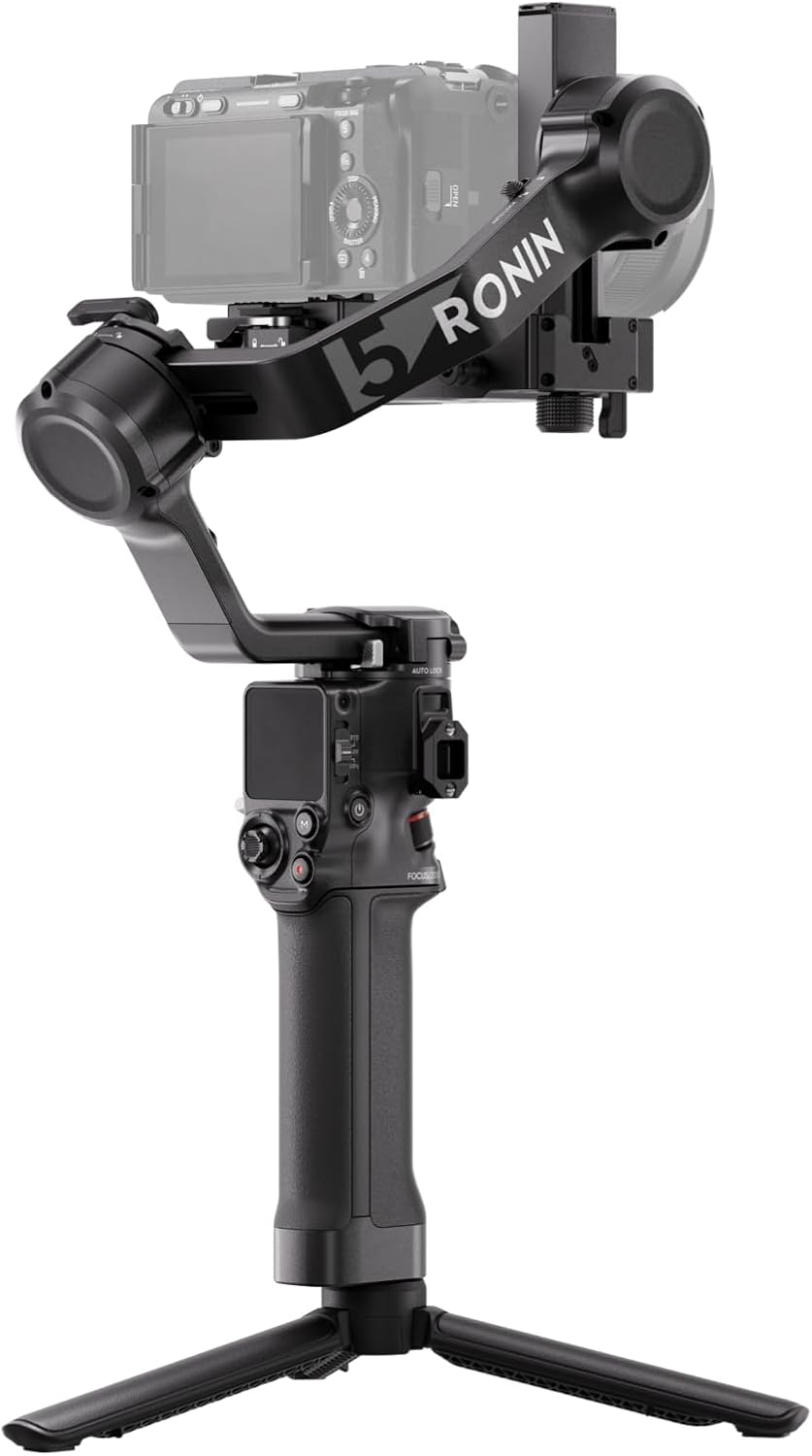
DJIDJI RS 5
This is the no-compromise workhorse for professional shooters who need extreme durability, fast charging, and the payload to handle cinema cameras, but its weight and accessory dependencies make it overkill for casual creators.
For the filmmaker who needs buttery-smooth footage without bringing a full crew.
Documentation
User Manual
Read the DJI RS 5 Manual
Setup, features, troubleshooting — formatted for web reading
Highlights
Why it stands out
Major Upgrade
One-Hour Full Charge
You can get a full day's power during a lunch break, minimizing downtime on location.
Best-in-Class
Arctic to Desert Ready
Shoot confidently in extreme environments from -4°F to 113°F without worrying about the gimbal failing.
3kg Pro Camera Payload
Handles cinema rigs and heavy lenses, moving you beyond mirrorless into serious filmmaking territory.
Industry First
Magnetic AI Tracker
Snap on a tiny module for hands-free, gesture-controlled subject tracking without bulky add-ons.
Pros & Cons
The good and the bad
Pros
- Unlocks complex vertical and overhead shots with a massive -112° to +214° tilt range.
- Blazing 360°/s rotation on all axes lets you execute whip pans and dynamic moves with precision.
- The NATO/RSA accessory ports future-proof your rig, allowing for professional monitors, lights, and receivers.
- Auto axis lock means the gimbal secures itself when powered off, protecting your camera during transport.
Cons
- The impressive 14-hour standby time requires an optional battery grip not available in all markets (like India).
- At nearly 1.2kg for the gimbal body alone, it's a substantial piece of kit to hold all day.
- The AI tracker needs decent light (>20 lux) to work, limiting its use in very low-light scenarios.
Reference
Specifications
Battery Capacity2150 mAh
Battery LifeApprox. 14 hours
Full Charge TimeApprox. 1 hour
WeightApprox. 1193 g
Dimensions247.4×115.7×258.7 mm
Min Temp-20° C
Max Temp45° C
BluetoothBluetooth 5.0
Sourced from DJI official documentation.
FAQ
Common Questions
What accessories are compatible with the DJI RS 5 NATO port?
The DJI RS 5 NATO port is compatible with accessories such as the briefcase handle and monitor. However, this port does not support charging or communication. For accessories that require charging and communication, such as the DJI RS Electronic Briefcase Handle or DJI R Focus Wheel, use the RSA/NATO ports instead.
What is the temperature range for using the DJI RS 5 battery grip?
Use the DJI RS 5 battery grip in temperatures from -20° to 45°C (-4° to 113°F). Using it above 50°C (122°F) can lead to fire or explosion, and below 0°C (32°F) can significantly reduce operation time. For charging, the range is 5° to 40°C (41° to 104°F), with an ideal charging temperature of 22° to 28°C (72° to 82°F).
How do I activate the DJI RS 5 gimbal for the first time?
Activate the DJI RS 5 through the Ronin app. Power on the gimbal, select the language on the touchscreen, and scan the QR code to download the Ronin app. Enable Bluetooth on your phone, log into the app with a DJI account, select the device, enter the default password 12345678, and follow the instructions. An internet connection is required. You can use the gimbal up to five times without activation before it becomes mandatory.
How do I attach the camera to the DJI RS 5 for horizontal shooting?
For horizontal shooting with the DJI RS 5, first move the lever on the horizontal plate to the unlocked position, insert the lower quick-release plate, and lock the lever. Then, unlock the lever on the lower quick-release plate, insert the upper quick-release plate (attached to your camera), and lock it. To remove, unlock the lever while pressing the adjacent safety lock.
How do I switch the DJI RS 5 to vertical shooting mode?
To switch the DJI RS 5 to vertical shooting, first loosen and press the knob to remove the horizontal plate. Then, install the plate vertically onto the gimbal and tighten the knob. After that, attach the lower and upper quick-release plates with the camera using the same locking lever process as for horizontal shooting.
💡
Share a tip
Help others get more out of this product
💬
Ask a question
The community and AI are here to help
⭐
Write a review
Share your honest experience
More to explore
You might also like
Editorial summary, highlights, pros and cons are AI-assisted and reflect Pindear’s independent perspective. Always verify critical details with the manufacturer before purchase. Spotted an error? Let us know.