 Insta360
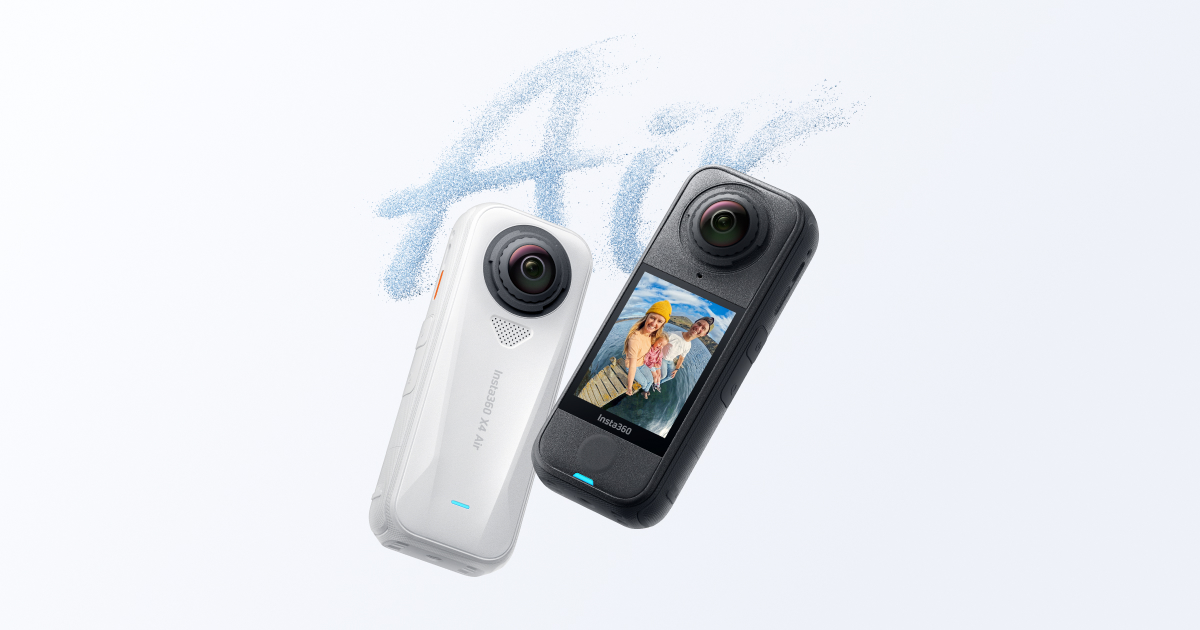
Insta360 X4 Air
This is the definitive 360 camera for serious creators who want the highest-fidelity capture and pro audio integration, but its power demands a modern phone or computer to handle the files.
User Manual
Why it stands out
The good and the bad
- Massive creative flexibility with 360 capture, letting you decide the perfect angle *after* you shoot.
- Excellent low-light capability for an action cam, thanks to the large F1.95 aperture and 1/1.8" sensor.
- Surprisingly versatile audio with directional focus and wind reduction modes for clear sound in action scenarios.
- Fast charging gets you back to 80% in under 40 minutes, minimizing downtime on multi-session days.
- No I-Log color profile, so color graders have less dynamic range to work with in post-production.
- The extensive phone compatibility list is a red flag—many older or mid-range phones will struggle to edit 8K files smoothly.
- Single-lens 'Me Mode' is limited to 30fps at 4K, making it less ideal for smooth slow-motion selfie shots.
What Real Users Say
A lightweight, affordable entry to 360 video with replaceable lenses, but compromised in low light, battery life, and lacks some high-end features.
- Significantly lighter and more compact than flagship models (X5), making it less noticeable on a helmet or head mount.[1][3][9][10]
- More affordable price point, making it a good entry-level or budget-friendly option.[1][3][4][10]
- Has replaceable/protective lenses (like the X5), increasing durability.[1][3][10]
- Daytime/well-lit video quality is very good and comparable to more expensive models for casual use.[6][10]
- Noticeably worse low-light performance compared to the X5.[6][7][10]
- Uses a different, non-standard battery compared to other X-series models (e.g., X4, X5), complicating the accessory ecosystem.[1][7]
- Shorter battery life, especially when filming at higher resolutions like 8K.[7][10]
- Lacks some high-end features present in the X5, such as Pure Video mode for low light.[7][10]
Best For
- +Beginners or casual users wanting an affordable, lightweight entry into 360 video for activities like cycling, motorcycling, or hiking.
- +Users who prioritize low weight and size on a helmet or head mount for sports.
- +Existing X3 owners looking for a compact upgrade with replaceable lenses.
Avoid If
- −You frequently film in low-light conditions and prioritize the best possible image quality.
- −You already own an X4 or X5 and want battery/accessory compatibility.
- −You need the absolute best video quality and features (like Pure Video) and are willing to pay more and carry more weight.
- Lacks 360 video at 60 fps mode, which is a downside for capturing smooth sports action. [1]
- The elongated shape is not ideal for head mounting compared to a more square design. [1]
- Requires a powerful computer for editing the large 8K video files. [3]
- The mobile/desktop software is criticized as laggy, privacy-invasive, and lacking support for popular editors like DaVinci Resolve. [2]
- Some users report the camera is slightly out of focus, describing it as 'the Insta360 look'. [9]
AI-aggregated summary of publicly available YouTube reviews and Reddit discussions. This does not represent Pindear’s editorial opinion. Sources may include sponsored content. Last updated Apr 16, 2026.
Specifications
Sourced from Insta360 official documentation.
Common Questions
What microSD cards are compatible with the Insta360 X4 Air?
Is the Insta360 X4 Air waterproof?
What are the battery precautions for the Insta360 X4 Air?
Can I attach external devices like a microphone to the Insta360 X4 Air?
How do I set up and activate my Insta360 X4 Air for the first time?
You might also like

Editorial summary, highlights, pros and cons are AI-assisted and reflect Pindear’s independent perspective. Always verify critical details with the manufacturer before purchase. Spotted an error? Let us know.