 DJI
DJIDJI Mic 3
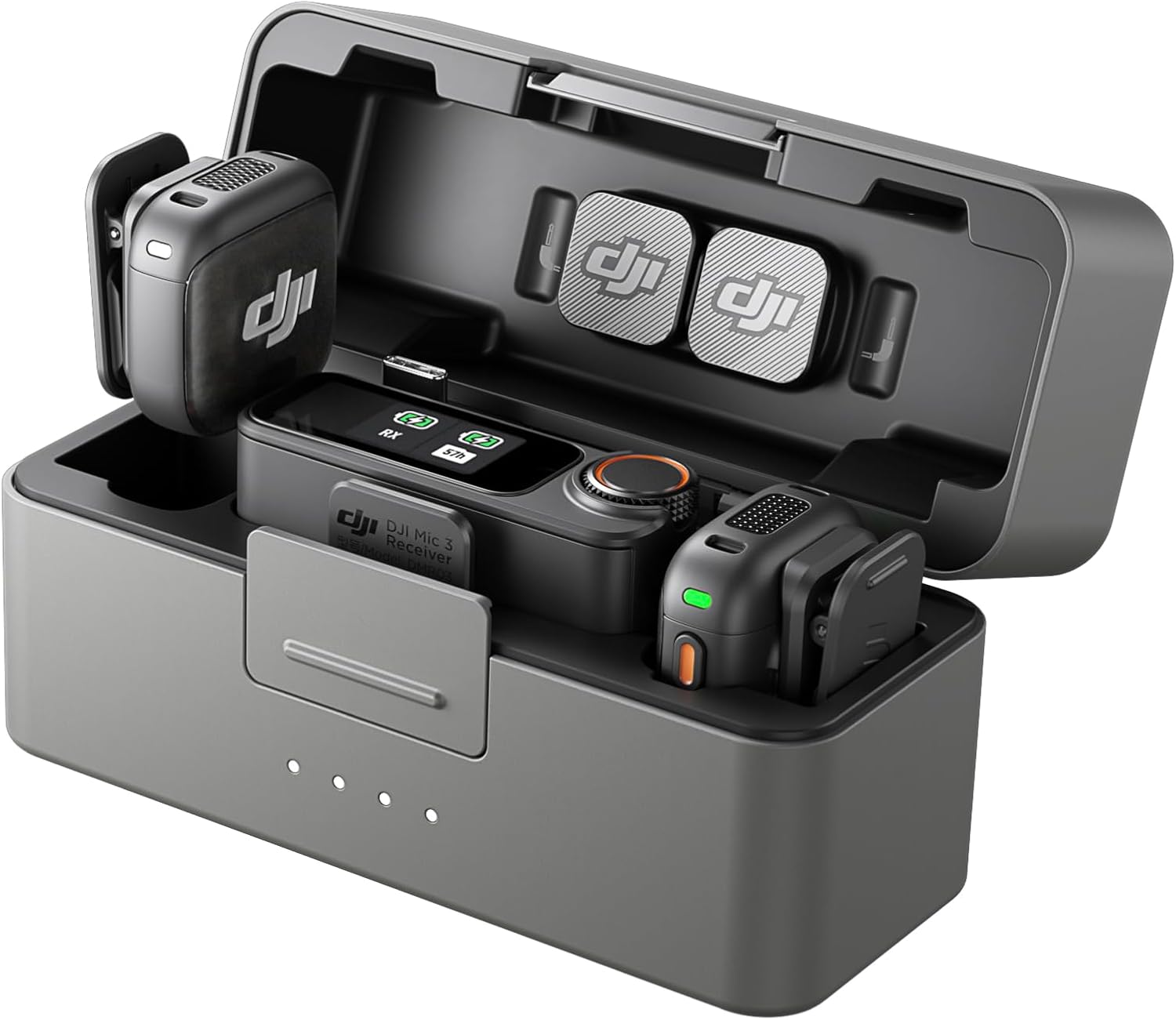
This is the new benchmark for prosumer wireless audio, packing pro features like 32-bit float and timecode into a tiny, all-day package that makes solo creators look like sound engineers.
For the creator who's tired of wind noise and muffled audio ruining otherwise perfect footage.
Documentation
User Manual
Read the DJI Mic 3 Manual
Setup, features, troubleshooting — formatted for web reading
Highlights
Why it stands out
Best-in-Class
Tiny, powerful wireless transmitters
You can clip these featherweight mics anywhere on your talent without them being noticed or causing wardrobe sag.
Major Upgrade
32-bit float internal safety net
Stop worrying about clipping; the mic records a massive dynamic range internally, so you can fix bad levels in post.
All-day power in a pocket
The charging case gives you over two full recharges on the go, meaning you can shoot for a full day without hunting for a cable.
Industry First
Pro-grade timecode sync
Sync audio to multiple cameras with frame-accurate timecode, making post-production for complex shoots a breeze.
Pros & Cons
The good and the bad
Pros
- Forget about Wi-Fi interference; the SDR tech finds a clear channel automatically in crowded environments.
- The receiver lasts 10 hours on its own, outliving most mirrorless camera batteries for a full shoot day.
- Massive 57-hour internal recording acts as a bulletproof backup if your wireless signal drops.
- Works in freezing cold (14°F) to blistering heat (113°F), so weather won't stop your shoot.
Cons
- The 400m 'max range' is a perfect-world fantasy; expect a reliable 80m or less in real cities with interference.
- Omnidirectional mics pick up all room noise, so they're not ideal for noisy environments without careful placement.
- The charging case adds noticeable bulk (164g) to your pocket, unlike slimmer competitors.
Reference
Specifications
Battery Capacity137 mAh
Battery Life8 hours
Full Charge TimeApprox. 50 minutes
Weight16 g
Dimensions28.77×28.34×16.35 mm
Min Temp-10° C
Max Temp45° C
BluetoothBluetooth 5.4
Sourced from DJI official documentation.
FAQ
Common Questions
Does the DJI Mic 3 support noise cancellation?
Yes, the DJI Mic 3 transmitter supports noise cancellation. You can press its power button twice to enable or disable this feature if 'Noise Cancellation via Button' is enabled in TX Settings. The transmitter status bar on the receiver screen will show when noise cancellation is active.
What is the quadraphonic mode on the DJI Mic 3?
Quadraphonic mode on the DJI Mic 3 allows four transmitters to operate simultaneously, with each assigned to a dedicated audio track for streamlined post-production. This mode is only compatible with certain PC software and the DJI Mic Series Camera Adapter, which works with Sony cameras featuring an MI hot shoe.
What does the 32-bit float recording feature do on the DJI Mic 3?
When enabled in TX Settings, 32-bit float recording allows the DJI Mic 3 transmitter to independently record audio files with a wider dynamic range, providing more flexibility for audio post-editing. Note that enabling this feature will result in shorter recording times on the transmitter's internal storage.
What is the timecode feature on the DJI Mic 3?
Timecode on the DJI Mic 3 is a time marker for synchronizing audio and video. Supported modes include Master Run (main RX manages timecode) and Auto Jam (secondary RX syncs periodically). It supports common video frame rates, defaulting to 29.97 fps. Ensure all recording devices use identical frame rates.
How do I turn on the DJI Mic 3 transmitter?
Press and hold the power button on the DJI Mic 3 transmitter for two seconds to power it on. The same button is used to start or stop internal recording and, when pressed twice, enables or disables noise cancellation. Ensure the transmitter is charged before use.
💡
Share a tip
Help others get more out of this product
💬
Ask a question
The community and AI are here to help
⭐
Write a review
Share your honest experience
More to explore
You might also like
Editorial summary, highlights, pros and cons are AI-assisted and reflect Pindear’s independent perspective. Always verify critical details with the manufacturer before purchase. Spotted an error? Let us know.